Welcome to polling-bot’s documentation!
polling-bot is a Discord bot to conduct basic polling functions in a Discord server.
Setup
To setup the Discord bot, follow the steps below:
Navigate to http://discordapp.com/developers/applications and create an account, or login if you already have a Discord account.
Select “New Application” and give it a name ie. “polling-bot”
Navigate to the Bot tab on the left side menu, and click “Add Bot” and confirm.
Under the TOKEN section, click “Copy” and copy the token.
To add the bot to your Discord server, select the OAuth2 tab from the left side menu. From the SCOPES section, select bot option and from the BOT PERMISSIONS section, select Administrator. Copy and navigate to the generated URL and select the server you want to add the bot to from the dropdown, then click “Authorize.”
Next, install polling-bot with pip: pip install polling-bot
Finally, to run the bot, import and run it as follows:
import discord
pollingbot = __import__("polling-bot")

bot = pollingbot.PollingBot(intents=discord.Intents.all(), command_prefix="/")
bot.run('TOKEN')
Where token is the token copied from the Developer Portal above.
The bot will now be responsive to commands in your Discord server.
Available Commands
/poll - Starts a poll in the server
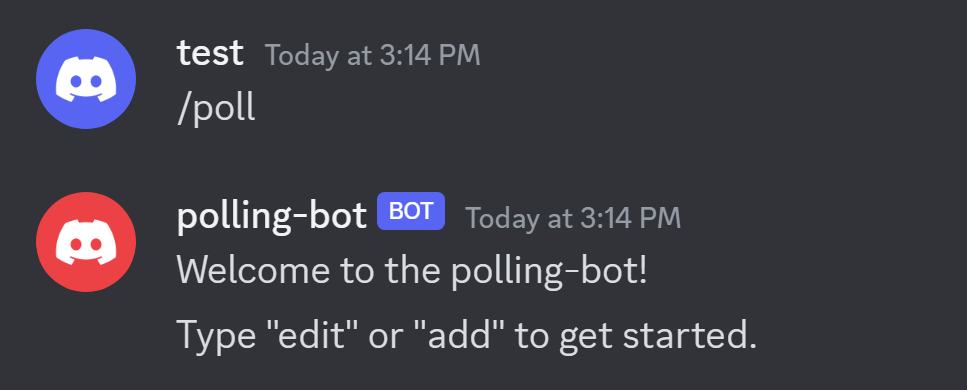
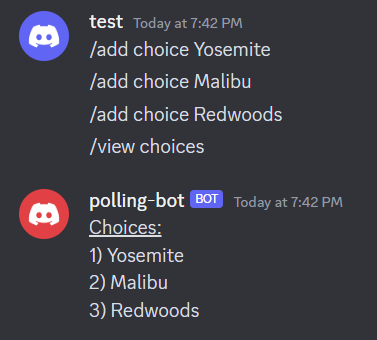
/add choice <content> - Add choices to the poll
/edit <option> <content> - Edit the content of the poll
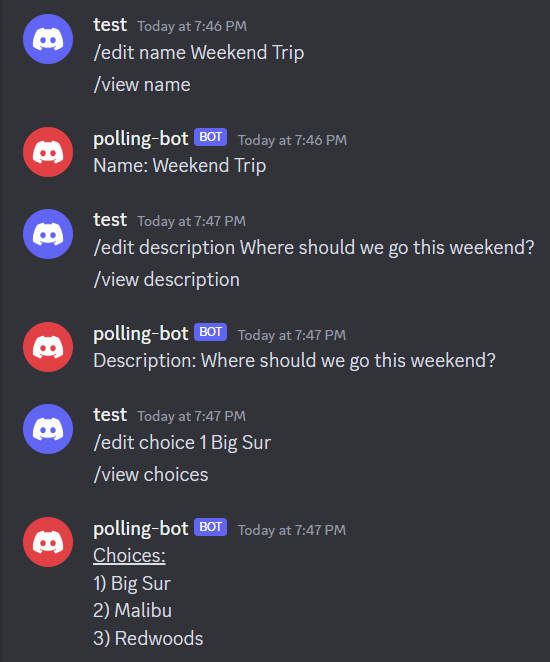
Options are ‘name’, ‘description’, and ‘choice’
/vote <choice #> - Vote for a choice in the poll
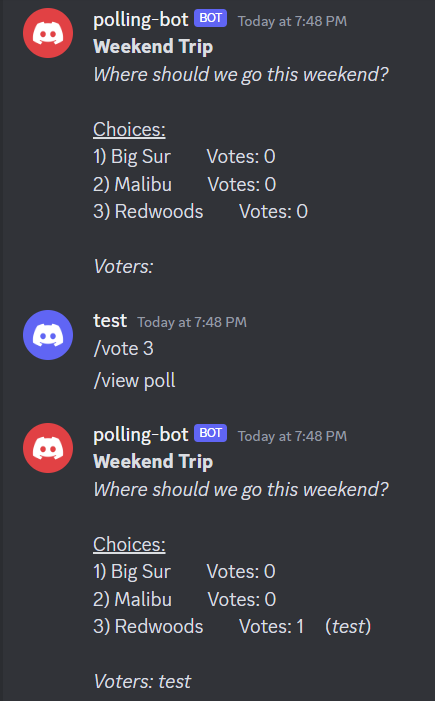
Choice # is the # corresponding to the desired choice, viewable with
/view choicesor/view poll
/view <option> - View the contents and results of the poll
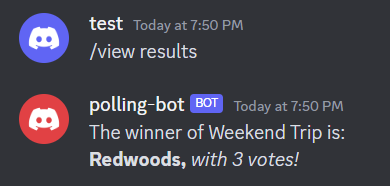
Options are ‘name’, ‘description’, ‘choices’, ‘poll’, and ‘results’
Usage
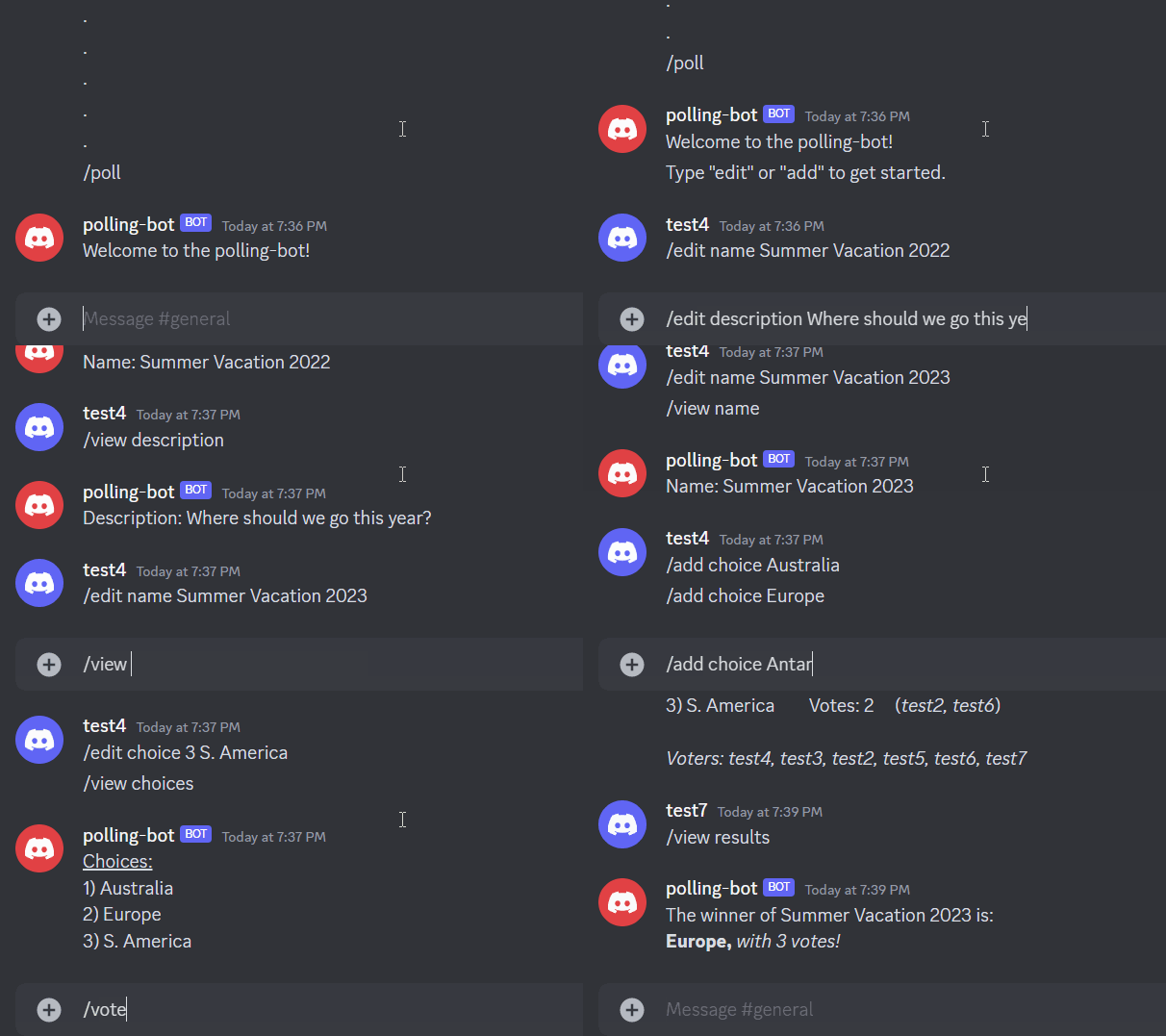
Start by executing /poll to create a poll.
Edit the name and description of the poll using the /edit command.
Next, add choices to the poll using the /add command.
The poll name and description can be modified at any time using the edit name/description command followed by the new text.
The poll choices can be modified by using the /edit choice # followed by the new choice label, where # is the choice number in the poll.
Have users then vote on the choices by running /view poll to see the current state of the poll, and then voting on their desired selection using the /vote command.
Once all users have voted and the poll has concluded, run /view results to view the results and winner of the poll.
If there are multiple winners of the poll, then they all will be displayed.
Documentation
polling-bot for Discord
Conduct basic polling functions in a Discord server
@author: Ganesan Narayanan
- class polling_bot.PollingBot(intents, command_prefix)
Bases:
Bot- add_choice(choice)
Adds a choice to the poll and initializes # of votes to 0. Modifies poll_data in place.
- Parameters:
choice (str) – Text for the new choice to add.
- add_vote(num_choice, user)
Adds a vote to the specified choice in the poll. Modifies poll_data in place.
- Parameters:
num_choice (int) – Number corresponding to intended choice. Number is visible by running /view poll command.
- Returns:
True if choice exists and voter has not voted yet, false otherwise.
- Return type:
bool
- check_time()
Checks if the poll is past its expiry time.
- Returns:
True if poll has not expired, false otherwise.
- Return type:
bool
- create_poll()
Creates a new poll structure poll_data with default parameters.
- edit_choice(new_choice, num_choice)
Edits the specified choice in the poll. Modifies poll_data in place.
- Parameters:
new_choice (str) – Text for the new description.
num_choice (int) – Number for choice to modify, view with /view poll.
- Returns:
True if specified choice exists, false otherwise.
- Return type:
bool
- edit_description(new_description)
Edits the description of the poll. Modifies poll_data in place.
- Parameters:
new_description (str) – Text for the new description.
- edit_duration(new_duration)
Edits the duration of the poll.
- Parameters:
new_duration (int) – Time for new duration in minutes.
- edit_name(new_name)
Edits the name of the poll. Modifies poll_data in place.
- Parameters:
new_name (str) – Text for the new name.
- get_choices()
Gets the choices in the poll in a printable format.
- Returns:
Formatted string of poll choices and choice number.
- Return type:
str
- get_choices_with_voters()
Gets the choices, votes, and voters in the poll in a printable format.
- Returns:
Formatted string of poll choices, choice number, and votes and voters per choice.
- Return type:
str
- get_description()
Gets the description of the poll in a printable format.
- Returns:
Formatted string of poll description.
- Return type:
str
- get_name()
Gets the name of the poll in a printable format.
- Returns:
Formatted string of poll name.
- Return type:
str
- get_poll()
Gets the contents of the poll in a printable format.
- Returns:
Formatted string of all poll contents.
- Return type:
str
- get_results()
Gets the results of the poll in a printable format.
- Returns:
Formatted string with winner of poll and number of votes.
- Return type:
str
- get_voters()
Gets who has voted in the poll in a printable format.
- Returns:
Formatted string with list of voters.
- Return type:
str